Be careful: deleting a campaign is irreversible and will permanently delete it—once it’s done, there’s no way to get it back.
Follow these steps to delete your campaign:
- If you have Character articles set up as NPCs in the campaign, it's recommended you delete them beforehand, as you won't be able to delete them in the future otherwise.
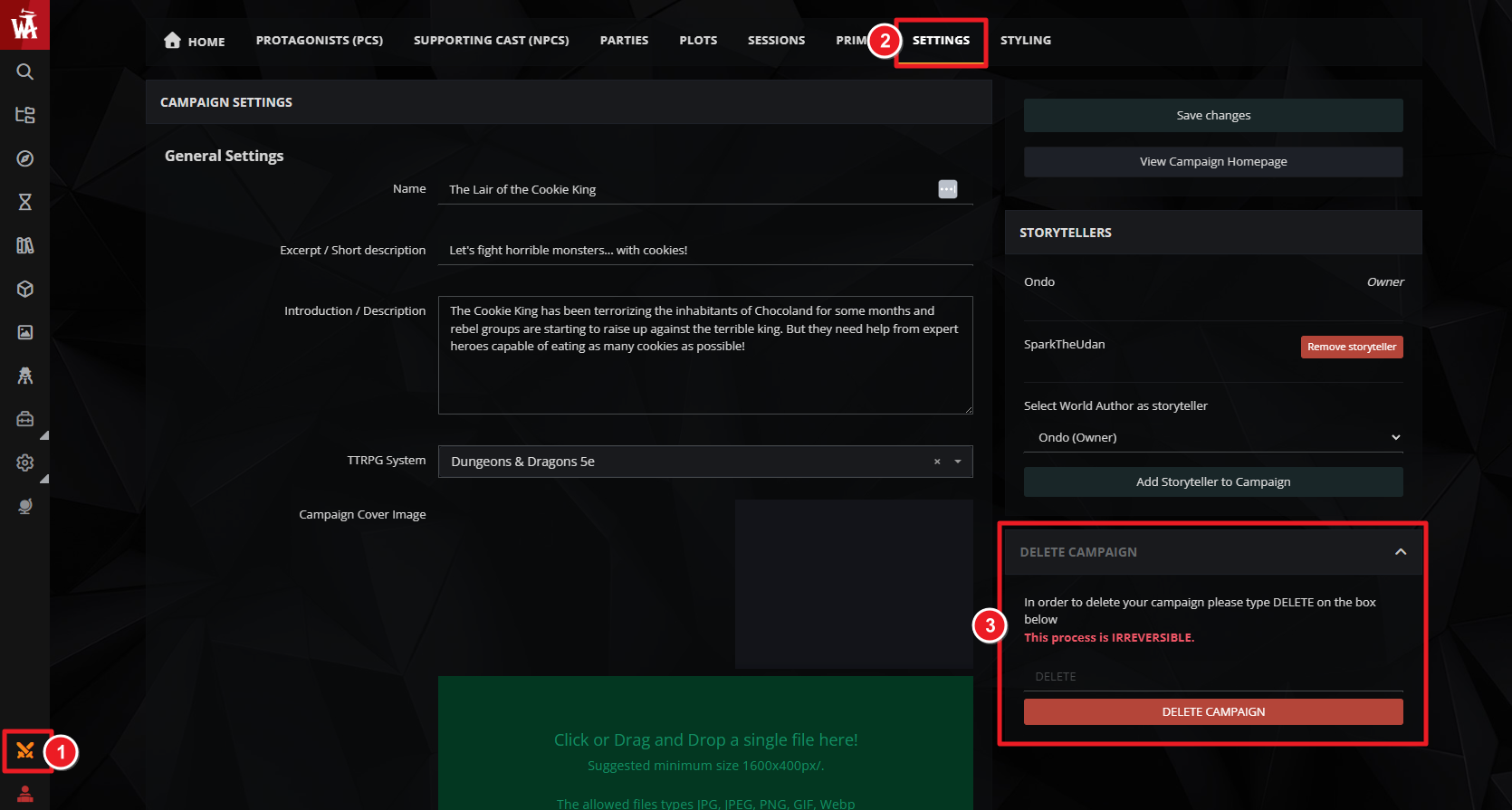
- Click the double swords in the sidebar to access the campaign manager.
- Click the Settings tab and look for the "Delete campaign" panel. Click it to expand.
- Type "DELETE" into the text box and click the delete button.
After clicking OK, your world will be permanently deleted.