

If you've joined the World Anvil Discord server, you can synchronize your accounts. This will give you access to exclusive channels, including Guild-only channels. Here's how to do it!
- Make sure that your World Anvil and Discord email addresses are the same.
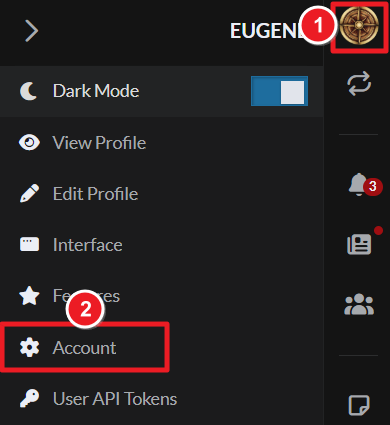
- On World Anvil, click your profile picture at the top right, and click Account.
- Scroll down to the "Connect with Discord" panel and click the "Connect with Discord" button.
- Open Discord again. You should have a new role in the server corresponding to your account tier!
If the sync fails, you can ping a Moderator in the server and ask for help.