

Available to the Master subscription tier and above. Upgrade here.
Chronicles mix maps and timelines to display history in both space and time. A timeline in Chronicles can display up to four parallel events, using the various lanes—but you can create additional timelines too! For example, you could have a timeline for each country, or one timeline for world events and other for story events. So here's how to create a new timeline:
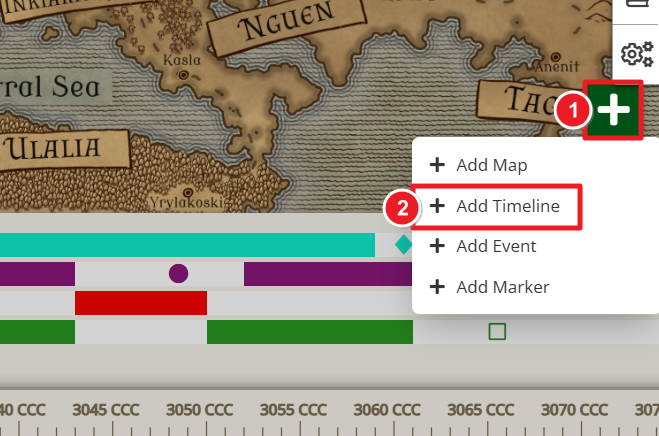
- While editing the Chronicle, click the green plus icon in the bottom right corner of the map area.
- Select "Add Timeline".
- Give the timeline a name and click "Create".
The first two timelines will be visible in the Chronicle by default. If you create a third timeline (or more), two arrows will appear on the right side to let you scroll between them:
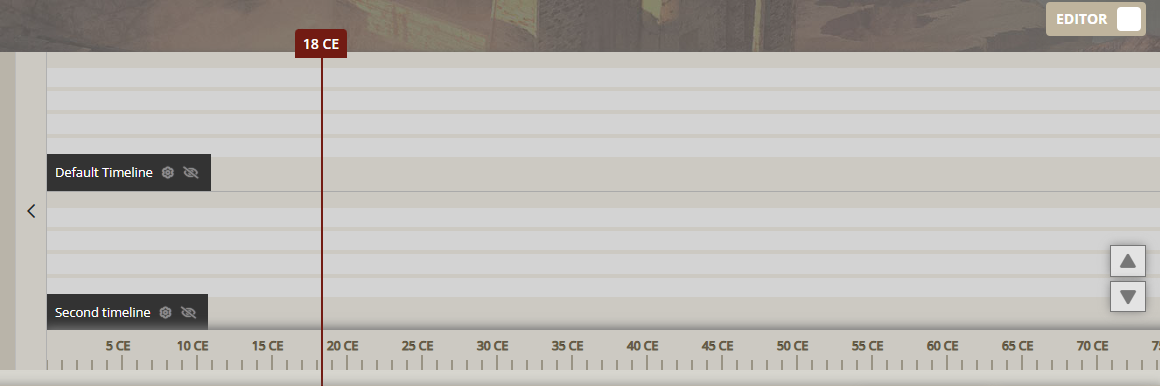
To edit a timeline, click the gear icon next to a timeline name or open the timelines manager from the right.
For more information and help with Chronicles, check the guide to chronicles.